
October 22, 2026
Healthcare
Complete Guide to HIPAA-Compliant Software Development 2026
Key Takeaways
- HIPAA-compliant software is an application that creates, stores, or transmits protected health information (PHI) and follows the Health Insurance Portability and Accountability Act.
- No agency certifies software as HIPAA-compliant. Teams demonstrate compliance with risk analysis records, safeguards, signed contracts, and audit logs.
- HIPAA applies to hospitals, clinics, insurers, and claims-processing clearinghouses, as well as every vendor that handles their patient data.
- Any software vendor handling PHI for a covered entity must sign a Business Associate Agreement (BAA) before accessing it.
- Following the four main HIPAA rules—Privacy, Security, Breach Notification, and Omnibus—helps ensure that software development practices comply with HIPAA requirements.
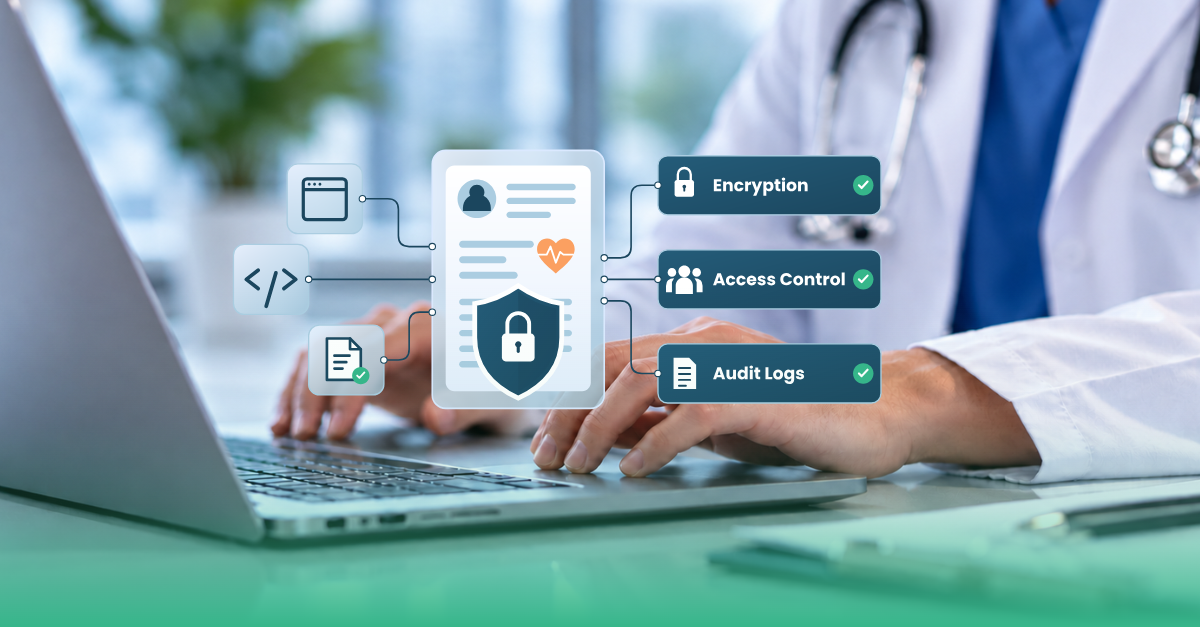
- Encryption, access control, and audit logging must be built into the architecture from the first sprint.
- Risk assessments, staff training, and incident response planning should take place at least once a year and after major changes.
What Is HIPAA-Compliant Software Development?
HIPAA-compliant software development is designing a digital solution with strict adherence to the Health Insurance Portability and Accountability Act (HIPAA). This is a US federal law that regulates systems that collect, store, or transmit individual health data, or protected health information (PHI). Whether your team is developing a patient portal, a remote health monitoring app, or a system processing insurance claims, being HIPAA-compliant differs from general software development in three ways:- Build encryption, access, and audit into the architecture from day one (not added later)
- Being directly responsible for ensuring protection of patient data
- Sign a Business Associate Agreement with the organization that provides PHI and all the subcontractors
Why HIPAA Compliance Matters
HIPAA is a federal law that protects private patient information, and non-compliance carries legal consequences. A data breach can trigger a federal investigation, notifications to individuals affected, and severe penalties. The more patient records are exposed, the higher the fine the responsible entity must pay. Healthcare is one of the primary target industries for cyberattacks. The HIPAA Journal's annual Healthcare Data Breach Report shows that the HHS Office for Civil Rights (OCR) recorded more than 700 large data breaches in 2025. The largest confirmed data breach occurred at Conduent Business Services, compromising the PHI of more than 62 million Americans. IBM's 2026 Cost of a Data Breach Report puts the average cost of a healthcare breach at $6.64 million, the highest of any industry. But fines aren't the only consequence of compliance failures. When HIPAA violations become public, companies risk losing contracts, damaging partnerships, and being excluded from future healthcare deals. Most importantly, breaches cause real harm to patients. They lead to identity fraud, misdiagnoses, the disclosure of sensitive conditions, and a loss of trust in healthcare providers. These consequences make HIPAA compliance for software a must for any developer working within the healthcare industry.Who Needs to Comply? Covered Entities and Business Associates
HIPAA applies to every organization that handles PHI. Protected health information (PHI) is any individually identifiable health information about a person's health, treatment, or health-related payment. Two main categories of PHI-handling organizations must comply with HIPAA:- Covered entities
- Business associates
Covered entities
Covered entities handle PHI directly as part of their duties. They are further split into three groups:- Healthcare providers — medical centers, hospitals, and individual practitioners, including dental offices and psychotherapists.
- Health plans — insurance companies, Health Maintenance Organizations (HMOs), and company health plans. The Health Insurance Portability and Accountability Act (HIPAA) was originally enacted in 1996 to help workers maintain their health insurance coverage when changing jobs.
- Healthcare clearinghouses — third-party organizations that process various health data into standard formats and transmit it between healthcare providers and insurance payers.
Business associates
Business associates include software vendors, contractors, and other entities that create, receive, store, or transmit ePHI while working for a covered entity. They fall under HIPAA requirements as soon as they touch patient information. Whether they are developing an EHR database, processing insurance claims, or building a scheduling app, their legal obligations immediately become the same as those of hospitals and insurance companies.The 4 HIPAA Rules That Govern Software Development
Four HIPAA rules determine whether healthcare software is compliant: HIPAA Privacy Rule, HIPAA Security Rule, Breach Notification Rule, and Omnibus Rule. Each enforces a specific set of HIPAA software requirements governing one aspect of PHI handling. The Privacy Rule defines which users can access PHI in the course of their duties. It ensures patients' right to view, correct, and request copies of their own records. Software that touches PHI needs consent-capture screens and an export function patients can use on request. It also sets the "minimum necessary" standard of PHI exposure that a given user role needs to do their job. The HIPAA Security Rule covers most engineering work. There are three safeguard categories inside: administrative (risk assessments, workforce training, designated security officers), physical (facility access controls, device disposal policies), and technical (encryption, authentication, audit controls). The Breach Notification Rule sets deadlines for covered entities to notify affected individuals (within 60 days of discovering a breach). Breaches that affect 500 or more people require notifying HHS and, in some cases, local media. The Omnibus Rule extends HIPAA obligations to business associates and their subcontractors. A vendor handling PHI on behalf of a healthcare client now bears the same responsibility as the client. Each rule lays the basis for another one:- Privacy Rule defines what data needs to be protected
- Security Rule outlines how to protect it
- Breach Notification Rule formulates what happens if the protection fails
- Omnibus Rule extends the legal obligations to every vendor or subcontractor
| Rule | What it regulates | Business takeaways | Developer takeaway |
|---|---|---|---|
| Privacy Rule | Who may use or disclose PHI, for what purpose, and patient rights over their own records | Write use-and-disclosure policies, document patient consent, and respond to record requests within 30 days | Provide every role with the minimum necessary data, add consent capture, build patient data export features |
| Security Rule | Administrative, physical, and technical protection of ePHI | Secure infrastructure and establish a regular risk assessment program | Encrypt PHI; implement multi-factor authentication (MFA), audit logs, and regular security testing |
| Breach Notification Rule | Procedures and timelines for reporting data breaches | Prepare an incident response plan, and notify patients within 60 days of discovery (plus HHS and media when 500+ people are affected) | Build automated logging, real-time alerts, and incident-tracking systems |
| Omnibus Rule | Extension of compliance obligations to business associates and subcontractors | Sign a Business Associate Agreement with every vendor or subcontractor touching patient data | Choose only services covered by a BAA (Business Associate Agreement), and keep PHI out of other tools |
Seven Steps to Build HIPAA-Compliant Software
When building HIPAA-compliant software, you can start as a new build or upgrade a live system. Either way, these seven steps provide a best-practice blueprint for developing a HIPAA-compliant app.1. Train the Team on HIPAA Security Fundamentals
Every engineer, QA tester, or product manager needs to gain a working understanding of what PHI is and how HIPAA's administrative safeguards apply to their work. Training should cover the difference between de-identified data and PHI under HIPAA, common causes of breaches, and each person's role in reporting incidents. It should occur regularly, at least once a year. Skipping this step is one of the most common reasons for failing a HIPAA audit. With solid code, architecture, and protection features, the team's routine for test environments and shared credentials remains the primary driver of compliance.2. Define Security Requirements and Run Threat Modeling
HIPAA states that developers must 'implement procedures to verify that a person or entity seeking access to ePHI is the one claimed.' The challenge is that HIPAA doesn't specify the procedures to implement. It is left to the software developer to find the most effective measures. Before making any architectural decisions, the team should translate HIPAA's security policies into concrete implementation specifications: which data fields count as ePHI, where it will be stored, who needs access, and what happens if a component fails. It is highly recommended to conduct a formal risk analysis, map attack surfaces, such as public APIs and third-party integrations, and rank threats by impact and likelihood. The STRIDE model helps classify common threats:- Spoofing — impersonating a user, device, or system
- Tampering — maliciously modifying (destroying, manipulating, or editing) data
- Repudiation — denying an action took place, which is impossible to disprove without logs
- Information disclosure — exposing PHI or other sensitive data to unauthorized parties
- Denial of service (DoS) — deliberately overloading a system, attacking its performance
- Elevation of privilege — gaining access to data or functions beyond authorized access
3. Implement Technical Safeguards
Minimum technical safeguards to build into the system include:- Data encryption at rest and in transit — AES-256 for stored data, TLS 1.2 or 1.3 for data moving across networks, both external and internal
- Role-based access control (RBAC) that assigns each user a predefined role and limits their access to the data needed for their work
- Multi-factor authentication (MFA) that adds a second factor (authenticator app, physical security key) to the password for every account touching ePHI, including administrators and support
- Audit logging that records who accessed PHI, when, and from where, with logs stored in an environment users cannot alter or delete
- Automatic session timeouts for logging out after a period of inactivity
- Account lockouts that trigger after a few failed login attempts
- Unique user IDs for every account to track actions to a specific person
4. Cover Physical Safeguards
It's natural to assume that the hosting provider is responsible for implementing physical safeguards. Choosing a provider with HIPAA-compliant infrastructure and signing a business associate agreement does cover part of the physical safeguard obligation, but not all of it. Several decisions made during the development stage matter:- Where backups are stored
- Whether laptops used for coding and testing ever touch PHI
- Disposal or replacement of old hardware
- restricts real patient data from test and development environments
- sets rules for remote work to ensure the PHI isn't exposed on personal devices and unsecured networks
- wipes or destroys devices before they're discarded or reassigned
5. Build and Migrate with Compliance
During active development, this means:- Enforcing access rules in the backend rather than leaving it to the frontend team
- Keeping PHI out of logs, error reports, URLs, and analytics payloads, where most leaks occur
- Avoiding general-purpose analytics and tracking tools that transmit data to non-approved vendors without a signed BAA. Keep in mind that standard analytics tools are rarely HIPAA-compliant.
- Upgrading credential storage: replacing plaintext or weak passwords with Argon2id or bcrypt, or using a trusted login service (OpenID Connect) for authentication
- Replacing deprecated encryption protocols such as SSL 3.0 or TLS 1.0/1.1 with TLS 1.2 or 1.3
- Rebuilding data access layers to close legacy shortcuts, like direct database queries that bypass RBAC
6. Verify Compliance Through Testing
Before release, the software needs independent verification that the safeguards work under realistic attack scenarios. This typically includes:- Penetration testing performed by a separate team to simulate real attacks
- Code review focused on login security, access permissions, and PHI management
- Vulnerability scanning scheduled to run regularly, not just before the launch
- Configuration audits that ensure that storage, databases, and APIs are not exposed by default
7. Prepare for Breaches in Advance
No system is guaranteed breach-proof. To be HIPAA-compliant, a software app needs a documented incident response and contingency plan, covering:- how the team detects a security incident
- who gets notified internally
- the timeline to notify affected individuals and regulators (HIPAA's Breach Notification Rule)
- how to get the system back to normal
Business Associate Agreements: What Software Vendors Need to Know
Business Associate Agreements (BAAs) are contracts defining how a vendor may use and protect the PHI it handles for a covered entity. HIPAA compliance for software vendors requires any company that handles PHI to sign a BAA with the covered entity before accessing patient data. The covered entity may be a healthcare provider, a healthcare insurance company, one of the company health plans, or a healthcare clearinghouse. The same rule passes down to subcontractors. The vendor must sign a separate BAA with every subcontractor that touches PHI, such as cloud hosts and analytics providers. A complete BAA specifies:- Permitted uses and disclosures of PHI
- Safeguards the vendor must apply under the HIPAA Security Rule
- How quickly the vendor must report breaches and security incidents
- Which subcontractors will handle PHI, and their duty to accept the same terms
- Whether PHI is returned or destroyed when the contract ends
Common Mistakes in HIPAA-Compliant Software Development
Common mistakes in following HIPAA rules occur when a development team treats compliance as a final step rather than as a set of initial design choices. The following mistakes appear most often:Working with PHI without a signed BAA
Accessing patient data before the agreement is signed is a clear HIPAA violation.Incomplete audit trail
If a system fails to fully record who accessed data and when, security incidents can't be properly investigated or reported.Risk assessment performed only at launch
A single review is not enough, especially if the system continues to grow. Risk assessment should be done regularly: at least once a year and after every big change.No data disposal policy
Without clear data disposal rules, deleted records remain in backups, caches, and old servers long after they are no longer needed.Weak authentication
The absence of strong authentication measures, such as two-factor logins, unique user credentials, and session timeouts, leaves PHI vulnerable.No incident response plan
Teams that don't keep a written plan ready to address security incidents tend to improvise in critical situations, worsening the consequences of even minor system failures.Treating compliance as a checklist, not a program
A solid compliance program evolves with the software. Whether new vendors, features, or rules affect the existing system, the safeguard measures should be revisited every time. If compliance efforts stop at launch, they quickly fall behind.HIPAA-Compliant Cloud Hosting: AWS, Azure, and Google Cloud
No cloud provider makes an application HIPAA-compliant by default. Amazon Web Services, Microsoft Azure, and Google Cloud each offer HIPAA-eligible services for the secure storage and processing of PHI when configured correctly. Software vendors must sign a BAA with the chosen cloud providers before transferring any patient data. Developers are obliged to configure cloud services correctly, including encryption, access control, and logging that meet HIPAA requirements. The eventual choice of the cloud service depends on existing infrastructure, team expertise, and each provider's compliance tools. For a detailed comparison of AWS, Azure, and Google Cloud on HIPAA compliance, read our in-depth blog. For AWS-specific setup guidance, see Solving HIPAA Compliance for AWS.Modernizing Legacy Systems for HIPAA Compliance
Modernizing outdated legacy systems to achieve HIPAA compliance is a real challenge for healthcare organizations. Many US hospitals still use software built more than 10, or even 20, years ago — before cloud infrastructure, modern APIs, and FHIR-based data exchange became standard. These systems hold patient histories, insurance claims, and financial records. Beyond the compliance risk, they also increase clinicians' workload and hinder the implementation of new medical tools. Their most common security gaps are:- Unencrypted PHI stored on electronic media and on-premises services
- Outdated authentication methods
- Lack of a reliable audit trail
HIPAA Compliance Consulting: What It Actually Involves
HIPAA compliance consulting is an ongoing engagement that helps healthcare software developers assess risk, close security gaps, and ensure ongoing risk monitoring. Since there is no certificate to earn, consulting focuses on building the evidence and safeguards that demonstrate HIPAA compliance at any given time. This is different from a one-time audit, which checks the system at its current state. Most consulting companies provide the following four services:- An accurate and thorough assessment of where PHI resides and what happens to it during system use.
- Gap analysis of the system's actual performance against what the documentation says and HIPAA compliance requirements.
- Remediation plan to close each gap, starting with the highest-risk issues.
- Ongoing compliance program: automated evidence collection, scheduled reviews, and alerts
- Which plan tier the agreement requires
- What services the agreement excludes
- Whether turning on a provider's HIPAA settings can be reversed later
- How audit logs are retrieved
- Whether every vendor binds its subcontractors to the same terms
Is AI HIPAA-Compliant? What to Know Before Adopting AI Tools
There is no single answer to whether an AI tool is HIPAA-compliant. Compliance is not an inherent characteristic of the software; it depends on the tool's configuration, data handling practices, and current agreements. The same AI model can be compliant in one deployment and a liability in another. From the moment PHI passes through the AI systems, HIPAA applies exactly as it would apply to any other business associate. That means a signed BAA is required before a chatbot, transcription tool, or diagnostic assistant touches PHI. Many general-purpose AI tools don't meet HIPAA requirements and therefore cannot be used in clinical settings. AI creates new places that patient information can end up, such as prompts, generated responses, and logs. The problem is, there's no clarity; the provider keeps it in a black box. Before using an AI tool, organizations need a working understanding of data security: whether the vendor retains the data, for how long, and whether the data is used for model training. The latter deserves particular scrutiny. Without proper authorization, PHI should never be used to train an AI model, because it is almost impossible to delete it quickly upon request. Organizations that fine-tune models on real patient records, or allow a vendor to do so, face serious ethical and legal risks. Using a third-party AI tool doesn't shift responsibility away from the covered entity. When PHI crosses an electronic network to a vendor's servers, the organization that sends it is still accountable for the outcome.How Much Does HIPAA-Compliant Software Development Cost?
There is no fixed price for HIPAA-compliant software development. The cost depends mostly on when a team starts designing for HIPAA. Built in from the first sprint, compliance typically adds 15-25% to a normal build. Retrofitting a live system can cost 40-80% of the original price, as the data model, logging, and environments all have to change. HIPAA-compliant software development services typically vary from $50,000 to $500,000+ and take 2 to 18 months depending on requirements, complexity of integrations, and number of features.| Project type | Average cost | Typical timeline |
|---|---|---|
| HIPAA gap assessment / discovery | $15,000 – $40,000 | 3 – 6 weeks |
| AI feature proof of concept | $30,000 – $75,000 | 6 – 8 weeks |
| Healthcare mobile app (MVP) | $50,000 – $150,000 | 3 – 6 months |
| Patient portal / engagement platform | $60,000 – $200,000 | 3 – 7 months |
| EHR/EMR integration (per system) | $25,000 – $80,000 | 6 – 16 weeks |
| Care coordination / clinical workflow solution | $80,000 – $250,000 | 4 – 9 months |
| Healthcare data engineering, analytics, and BI | $80,000 – $250,000 | 3 – 8 months |
| Telehealth / virtual care platform | $100,000 – $300,000 | 5 – 9 months |
| Remote patient monitoring platform | $100,000 – $350,000 | 5 – 10 months |
| LIMS (custom build or modernization) | $150,000 – $400,000 | 6 – 12 months |
| Legacy modernization / cloud migration | $100,000 – $400,000 | 4 – 12 months |
| Custom EHR/EMR platform | $150,000 – $500,000+ | 6 – 18 months |
| Production AI / clinical decision support | $150,000 – $400,000+ | 6 – 12 months |
| Medical device software / SaMD | $250,000 – $600,000+ | 6 – 24 months |
- Choice of Hosting. Some platforms charge a HIPAA premium: Render adds 20% to compute costs, and its HIPAA upgrade can't be undone
- Environment separation. Systems that handle PHI need to be isolated, which means more building and maintenance.
- Integrations. EHR, lab, and billing connections add interface and data-mapping work. A single Epic or Oracle Health (Cerner) integration can add additional costs.
- Ongoing compliance. Risk assessments, penetration tests, and BAA reviews continue after launch, adding 15-20% to annual maintenance.
Real HIPAA-Compliant Software Projects
These two case studies demonstrate how HIPAA-compliant software was developed by Kanda Software:AWS Migration of Precision Medicine Platform
Trapelo (Now Part of Oncologic) runs a real-time precision medicine platform that helps oncologists order molecular tests and interpret results against current clinical evidence and each patient's insurance coverage to make informed decisions. The move to AWS allowed them to scale up while keeping protected health information secure. The solution scope Kanda Software provided was:- Built and managed the platform's HIPAA-ready AWS infrastructure.
- Deployed the AWS environment on a single site, removing multi-tenancy risk.
- Encrypted all patient data at rest and in transit.
- Enabled logging for user logins, logouts, and every action that opens, views, or changes code.
- Delivered separate development, training, QA, and support environments.
A LIMS Built Around Patient and Sample Data
Kanda Software helps Gulf Coast Pathologists (GCP), an anatomic pathology lab, replace a fragmented LIMS and manual processes for tracking patient and sample data with intelligent workflow automation.- AI-assisted systems for pathology reports cut manual work by 70%.
- Set an expert pathologist to review every AI-generated report. (human in the loop)
- For each data change, the audit trail records the old value, the new value, the author, the time, and the reason.
- Data was encrypted at rest and in transit on AWS
- API Gateway secured integrations with hospital EMR systems.
HIPAA Compliance Checklist for Software Development
Below is a HIPAA compliance checklist compiled in line with administrative, physical, and technical safeguards of the Security Rule. It provides you with statement points to answer at every release, ideally together with developers, QA engineers, and product owners. The checklist covers five areas:- User authentication and access control
- Audit logging and audit trails
- Data encryption
- Backup and disaster recovery
- Workforce training
User Authentication and Access Control
- Multi-factor authentication is set for every account with access to ePHI, including admin accounts
- Passwords meet a minimum length and complexity standard, with no default or shared credentials
- Access controls are role-based. Each user is granted permission only to the information they need for work
- Each user sees only the specific PHI fields their role needs (the Minimum Necessary standard)
- Inactive sessions time out automatically
- Inactive accounts are disabled on a set schedule
- Access is updated or revoked right after an employee changes roles or leaves
Audit Logging and Audit Trails
- Audit logging records every action with PHI, showing who accessed it and when
- Logs are tamper-evident, meaning they can't be secretly changed or deleted
- Audit controls automatically send alerts for unusual activity, such as bulk record downloads
- Audit trails are kept as long as required by your compliance policy and state law, usually six years or longer
- Logs are reviewed on a scheduled task, not only after an incident
Data Encryption
- All ePHI at rest is encrypted using an industry-standard method such as AES-256
- All ePHI in transit is encrypted using current TLS protocols
- Encryption keys are stored separately from protected information
- Laptops, phones, and other endpoints that access PHI use full-disk encryption
Data Backup and Disaster Recovery
- A backup schedule is documented and covers all systems that store PHI.
- Backups are encrypted to the same standard as production data
- Disaster recovery plans enforce recovery time objectives (RTO) and recovery point objectives (RPO) for every system that handles PHI
- Backup restoration is tested on a schedule
- Integrity controls verify that PHI hasn't been changed or deleted by unauthorized users or systems
Workforce Training
- Workforce training on PHI handling and security policies occurs at onboarding and then at least once a year
- Developers undergo role-specific training on secure coding for PHI
- Training completion is documented, not just delivered
- Training covers incident reporting, so staff know how to react to a suspected data breach
- the measure is implemented
- it works as designed
- it can be proven with a document, test result, or training record
Work With a HIPAA-Compliant Software Development Partner
Reading through the HIPAA development rules is one thing. Building software that will successfully pass an audit is another. If your team needs a partner who designs for HIPAA compliance from the first sprint, Kanda's Software Development team is here. Reach out to our experts to discuss your case.Related Articles

CMS Prior Authorization Rule 2026: What Health Systems and Payers Actually Need to Build by October 2027
Key Takeaways The 2026 CMS Prior Authorization (CMS-0062-P) rule extends electronic prior authorization requirements to drugs for the first time, closing a major gap left by the 2024 rule. The hard compliance deadline is October 1, 2027 - by that date, systems must be live, not in development or testing. Compliance requires three major technical…Learn More
Unlocking Actionable Insights from Medical Data with Clinical NLP
Key Takeaways Clinical NLP extracts useful details from notes, reports, and other free-text records so teams can work with them. The clearest use cases include coding support, trial matching, safety monitoring, registry work, and population health. The output is only useful if it connects to the standards healthcare teams already use: SNOMED CT, RxNorm, LOINC,…Learn More
Why Omics and Clinical Data Integration Remain a Challenge and How to Fix It
Key Takeaways Omics and clinical data often remain separate, making them harder to use together than they should be. The main challenge is usually not the data itself, but the mismatched formats, siloed systems, and disconnected teams surrounding it Addressing that requires robust infrastructure, shared standards, and workflows that hold up without constant manual intervention.…Learn More
AI Copilots in Healthcare: Minimizing Diagnostic Risks With Smart Virtual Assistants
Key Takeaways AI copilots act as always-on virtual assistants managing documentation, triage, and decision support so clinicians can focus on patients. With 12 million diagnostic errors and up to 80,000 deaths annually, AI copilots are built to catch what overloaded clinicians miss, not replace them. Dragon Copilot saves clinicians around 5 minutes per encounter with…Learn More